
Banks, Fill All Pads / Balance Categories, the Large Files and Keywords filters, and the Layout dropdown all live on the main screen. See Fill All Pads and Filters. Banks is covered here because it shapes every export.
Banks #
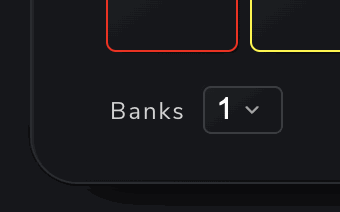
Some output formats let you stack multiple kits into a single preset as “banks.” Set the number with the Banks dropdown on the main screen, and Kit Maker combines that many consecutive kits into one multi-bank preset. Hover the word Banks for a reminder of which formats support it.
Formats that support multiple banks:
| Format | Max banks |
|---|---|
MPC (.xpm programs and .xpj projects) and MPC Sample |
8 |
| Impact (Studio Pro) | 8 |
| Ableton Live | 7 |
| Bitwig 6 | 7 |
| Koala Sampler | 4 |
| Logic Pro (Drum Machine Designer) | 3 |
| FL Studio (FPC) | 2 |
Each format has its own cap. If you choose more banks than a format’s max, that format is capped at its limit, while any other format that supports the larger count still gets it. Formats not listed always produce one kit per preset.
On MPC, the 8 banks correspond to A through H on the MPC unit.
Ableton doesn’t have specific bank labels. It uses multiple 16-pad kits you can navigate by clicking the vertical grid in Drum Rack, or using the vertical slider on the Push.
A kit preset with multiple banks will have a suffix with a dash followed by the number of banks (for example “Hard Trap Pack 01 – x4”).
Maschine kit presets with multiple banks will be named after the first Maschine kit in the preset, followed by the suffix (for example “Majestic – x4”).