
Make FL Studio Drum Kits from Your Sample Packs, Automatically

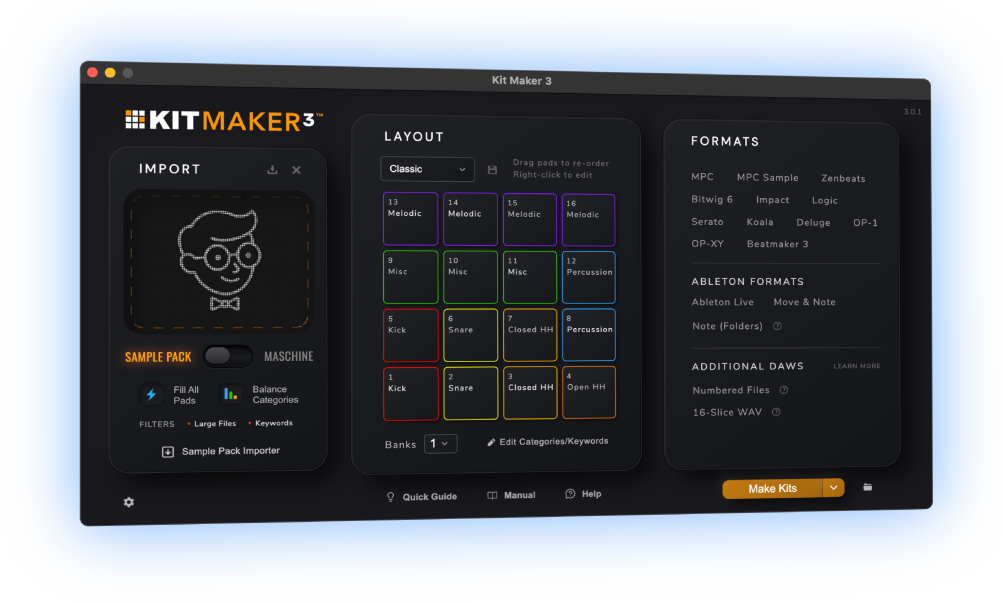
Kit Maker turns the drum sample packs, Maschine Expansions and MPC Expansions you already own into ready-to-load drum kits for FL Studio’s FPC. Import your drum packs, click Make Kits and your packs are automatically made into FPC kit presets.
$39 — one-time purchase. No subscription.
 As featured on Native Instruments blog
From Sample Packs to FL Studio Drum Kits
- 1
Drop in your packs
Drum sample packs, Maschine Expansions and MPC Expansions are all accepted.
- 2
Kit Maker builds the kits
Automatically, and made in a consistent pad layout.
- 3
Your kits are ready to load
Presets are made, organized and ready to load in FL Studio.
Your FL Studio FPC kits, organized and ready to load
Kits show up in the FPC kit browser, labeled and organized by pack. Pick a kit and the pads are already filled, named and in the right drum layout.
Want to fill both banks? Kit Maker can fill both of FPC’s banks in one preset, so each preset has plenty of sounds.
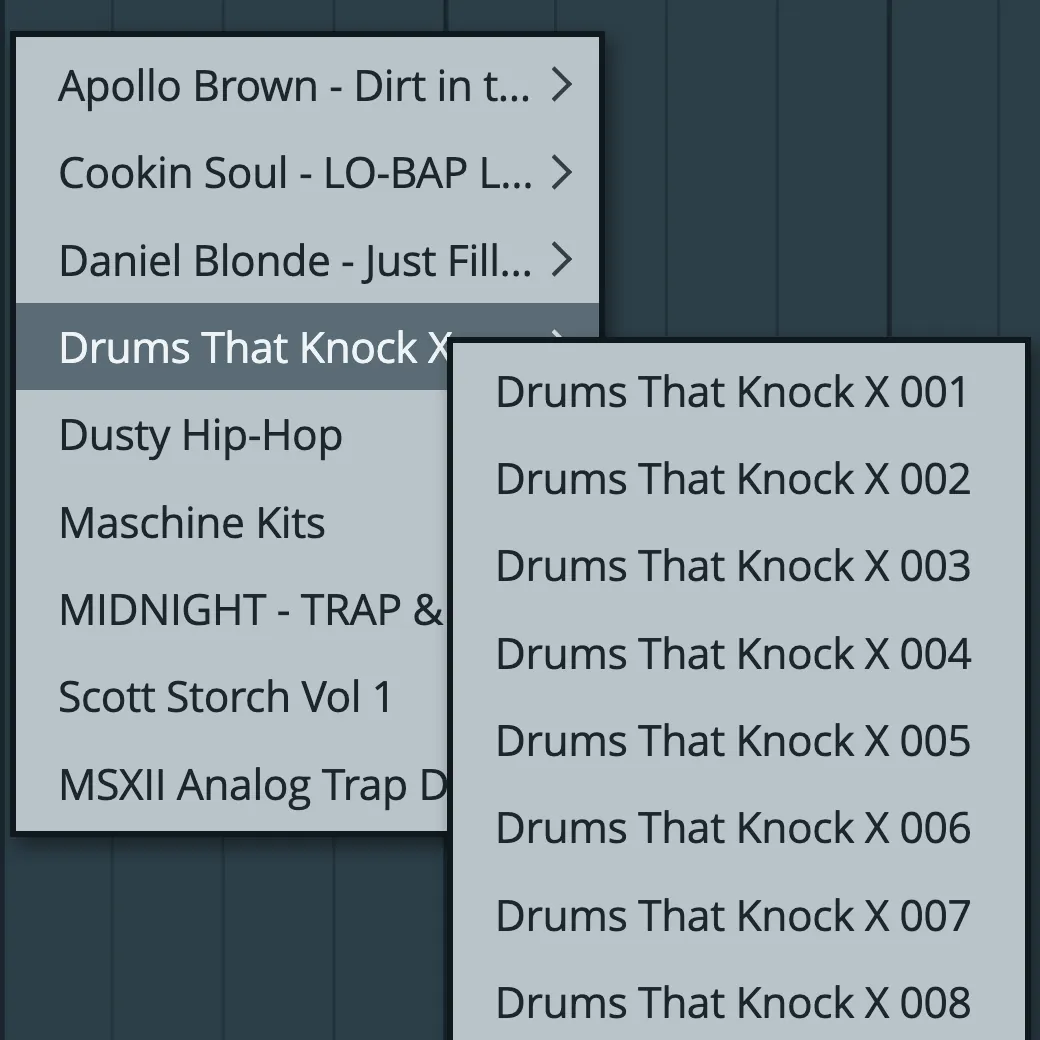


Convert your Maschine Expansion kits to FL Studio, too
Kit Maker scans your Native Instruments Maschine Expansions and rebuilds their drum kits as FPC kit presets, labeled and organized by Expansion.
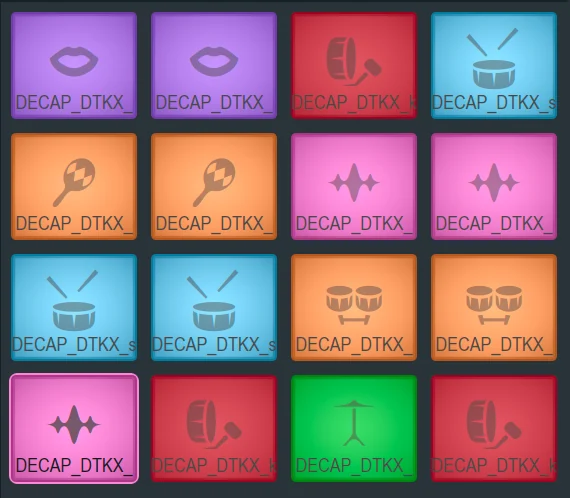
Icons and colors for each sound
FPC pads are colored by category, and every pad gets a matching icon, so a kick pad shows a kick and a snare pad shows a snare. You can tell your kicks, snares, hats apart just by glancing at the kit.
Kits use a consistent layout from kit to kit. Load a different kit on your drum pattern and hear your groove with brand new sounds.
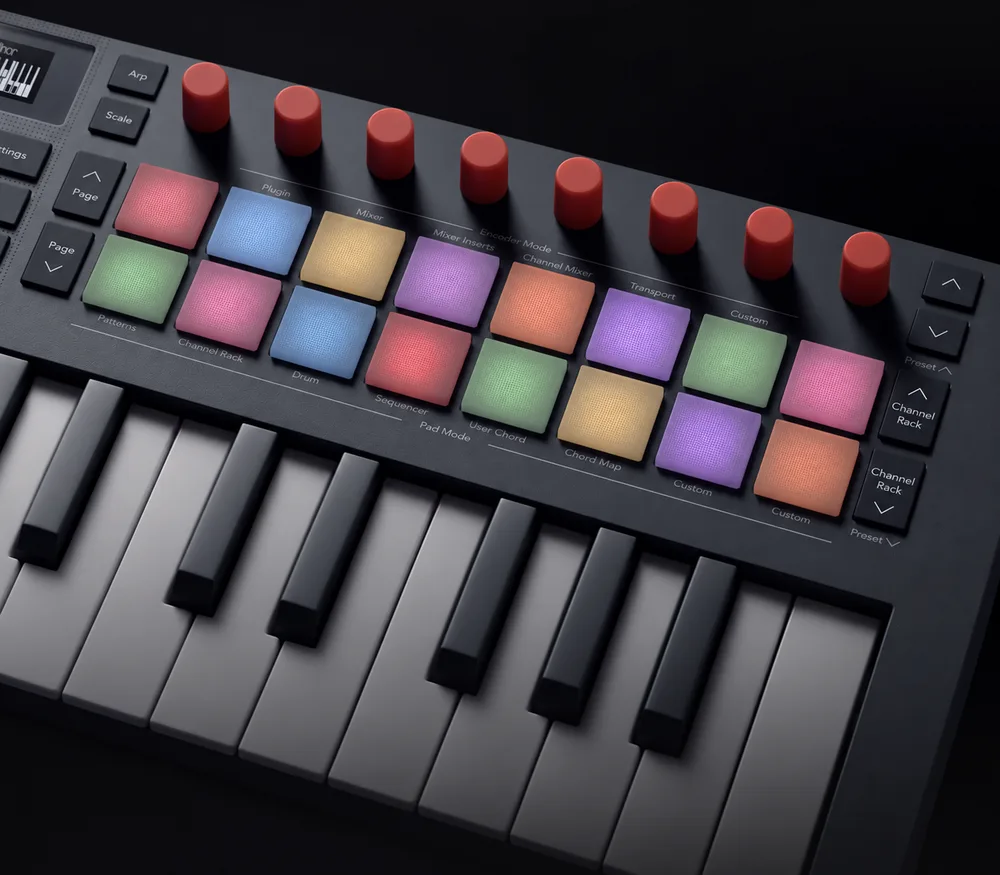
Pad colors on your FLkey
Novation’s FLkey keyboards have drum pads with RGB lighting. Load an FPC kit and the FLkey’s pads light up in the same colors. Kicks, snares and hats are easy to identify from the keyboard as well as on screen.
Works across the FLkey range, from the FLkey Mini to the full-size keyboards.
As seen on


“A very useful tool, not just for converting NI stuff, but even your own custom packs.”
— Ave Mcree
“A super easy way to convert the expansions.”
— Sanjay C, Native Instruments Blog
“Very easy to use.”
— Jef Gibbons
Works with FL Studio on Mac and PC
Kit Maker builds native FPC presets that load straight into FL Studio’s FPC.
macOS (Apple Silicon) · Windows
FL Studio (FPC) on Mac and Windows
Builds FPC’s own preset format. Not affiliated with Image-Line or Native Instruments.
How to load a kit in FPC
- In Kit Maker, create or convert your kits using the FL Studio format option.
- In the FPC kit browser, the kits are labeled and organized by pack.
- Choose a kit and it loads instantly with pad colors and icons.
Questions, answered
How do I make drum kits in FL Studio?
Import a drum pack you own into Kit Maker, choose FL Studio and click Make Kits. Kit Maker sorts the samples by drum type, places them on FPC’s pads and saves each kit as an FPC preset, ready to load in FL Studio. Doing this by hand means dragging each sample onto its pad.
Do I need anything besides FL Studio?
No. The kits load into FPC, FL Studio’s drum pad sampler, and FPC comes with every edition of FL Studio, from Fruity Edition up. If you have FL Studio, you’re set.
Where do the kits show up?
In the FPC kit browser, organized in a folder for each pack. Pick a kit and the whole thing loads at once.
How many banks can one preset have?
Two. FPC has two banks of pads, and Kit Maker can fill both of them in one preset.
Do the pads keep their colors and icons?
Yes. Every pad is colored by drum type and gets a matching FPC icon, so you can read the kit at a glance as soon as it loads.
Can it convert my Maschine or MPC Expansions to FL Studio?
Yes, both. Kit Maker scans Native Instruments Maschine Expansions and rebuilds their drum kits as FPC kit presets. Native Instruments has featured it as an option for Expansion owners. It does the same with MPC Expansions, rebuilding every bank of their drum programs as kits. An Expansion that holds only instruments has no drum kits to convert.
Do I need to own the sample packs already?
Yes. Kit Maker organizes packs you provide; it doesn’t include sounds of its own. Drop in the drum packs (or Maschine Expansions) you already own and it builds the kits.
Is it a subscription?
No. Kit Maker is a one-time purchase of $39. Buy it once, use it as long as you like.
Mac and PC?
Both. Kit Maker runs on macOS (Apple Silicon) and Windows, and so does FL Studio.
Still have questions? Visit the Kit Maker FAQ.
Start making FL Studio kits from packs you already own
$39 — one-time purchase. No subscription. · For Mac & PC