
Make Maschine Drum Kits from Your Sample Packs, Automatically
Numbered Files workaround, not a Maschine preset

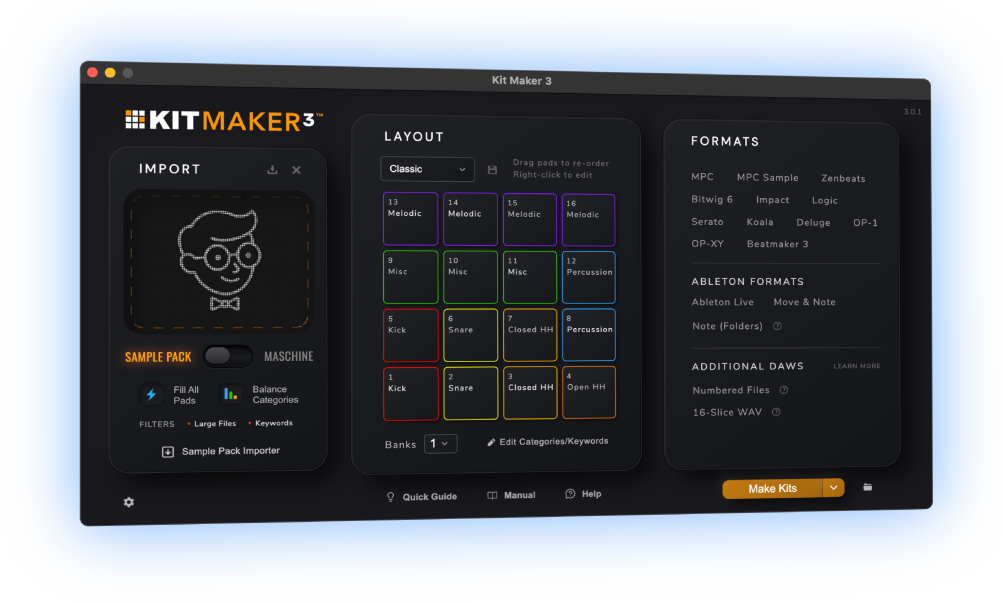
Kit Maker turns the drum packs you already own into Maschine kits, built as folders of numbered samples. Loading one is just selecting the 16 files and dragging them onto the pads.
Native Instruments Maschine kit format is encrypted, so third party apps are unable to create kit preset files directly. The drag gets you the same finished kit in the correct layout, and once it’s in you can name it and save it as a real Maschine Group.
$39 one-time purchase. No subscription.
 As featured on Native Instruments blog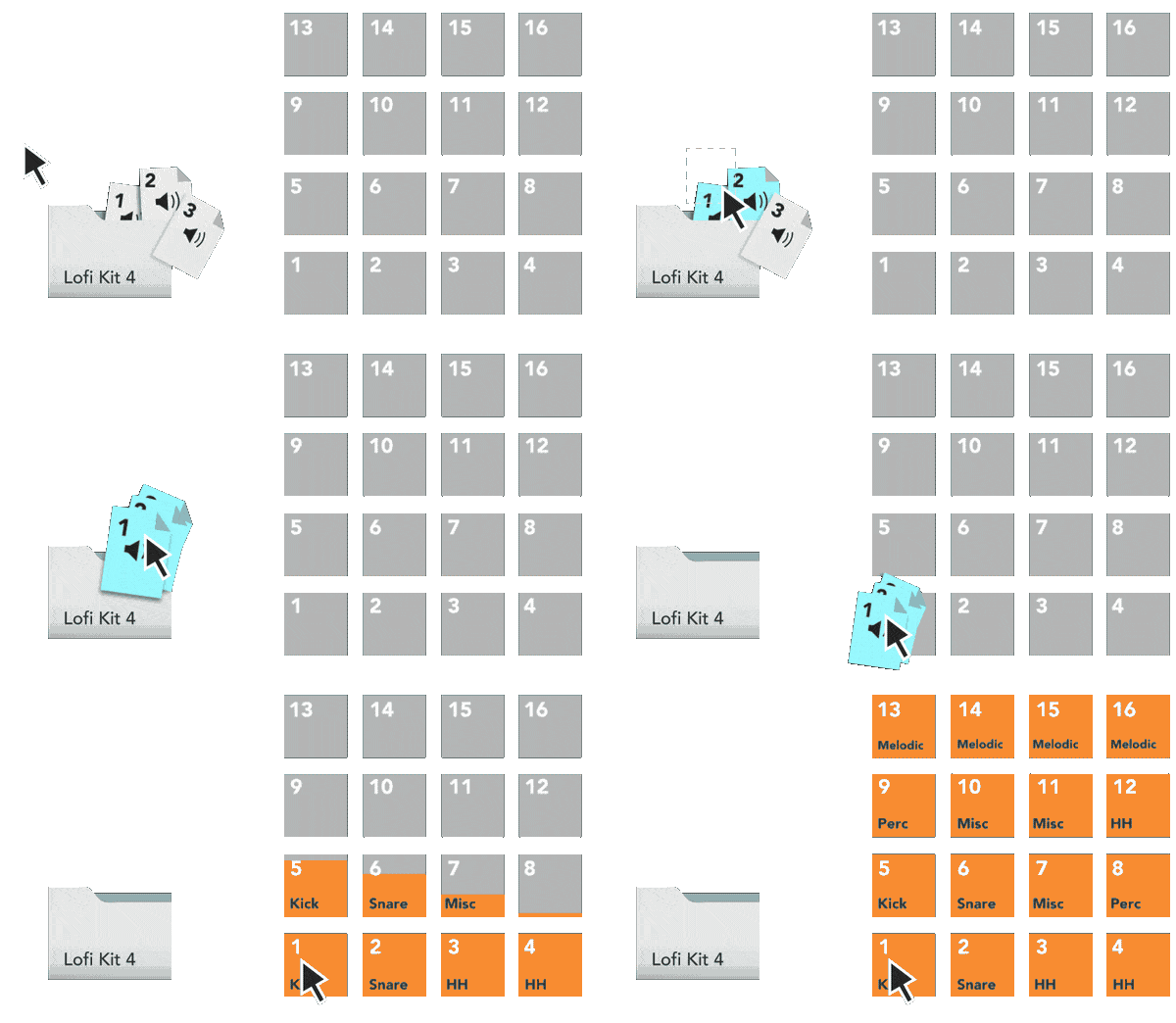
From Sample Packs to Maschine Drum Kits
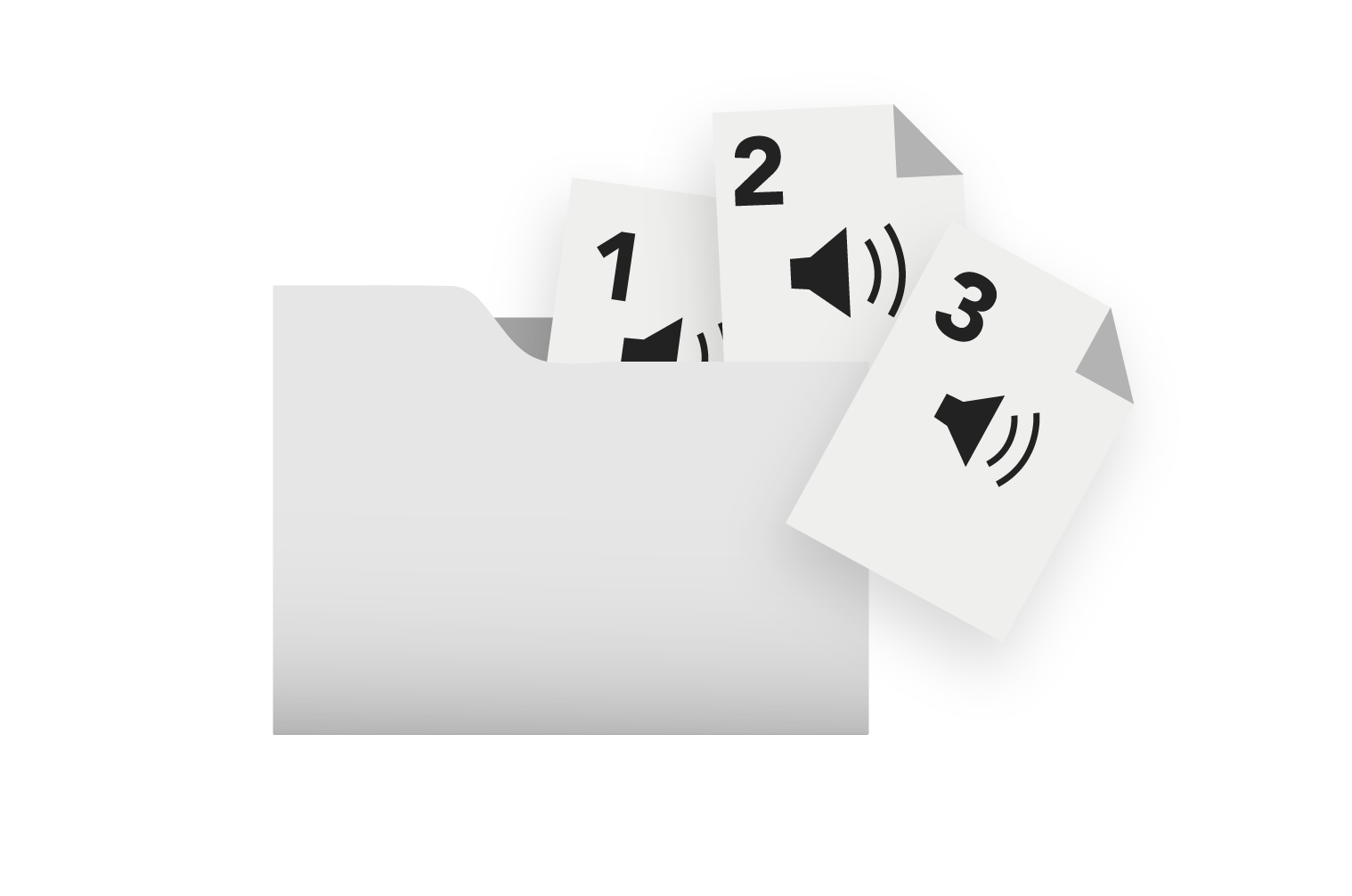
A sample pack is just a folder of loose files, and picking out sixteen sounds for every kit by hand kills the momentum. Kit Maker does the choosing and the ordering for you, so each kit arrives as a folder of sixteen numbered samples that goes onto the pads in one drag.
- 1
Drop in your packs
Any drum packs you already have, from Splice and Loopmasters to your own folders of one shots.
- 2
Kit Maker builds the kit folders
Kits are created as numbered files in kit folders, ready to drag into Maschine.
- 3
Your kits are ready to drag onto the pads
Every kit is its own folder, numbered and in the correct layout.
Import nearly any sample pack
Drop in packs from Splice, Loopmasters, Sample Tools, or the folders of one shots you have been collecting for years. If a pack is sorted into labeled subfolders, Kit Maker reads them and lays the kits out from there. If it is just a pile of loose files, it reads the filenames instead and builds the kits anyway.
One pack usually turns into a whole stack of kit folders, each with a sensible mix of kicks, snares, hats and percussion, put together the way a commercial Expansion is.
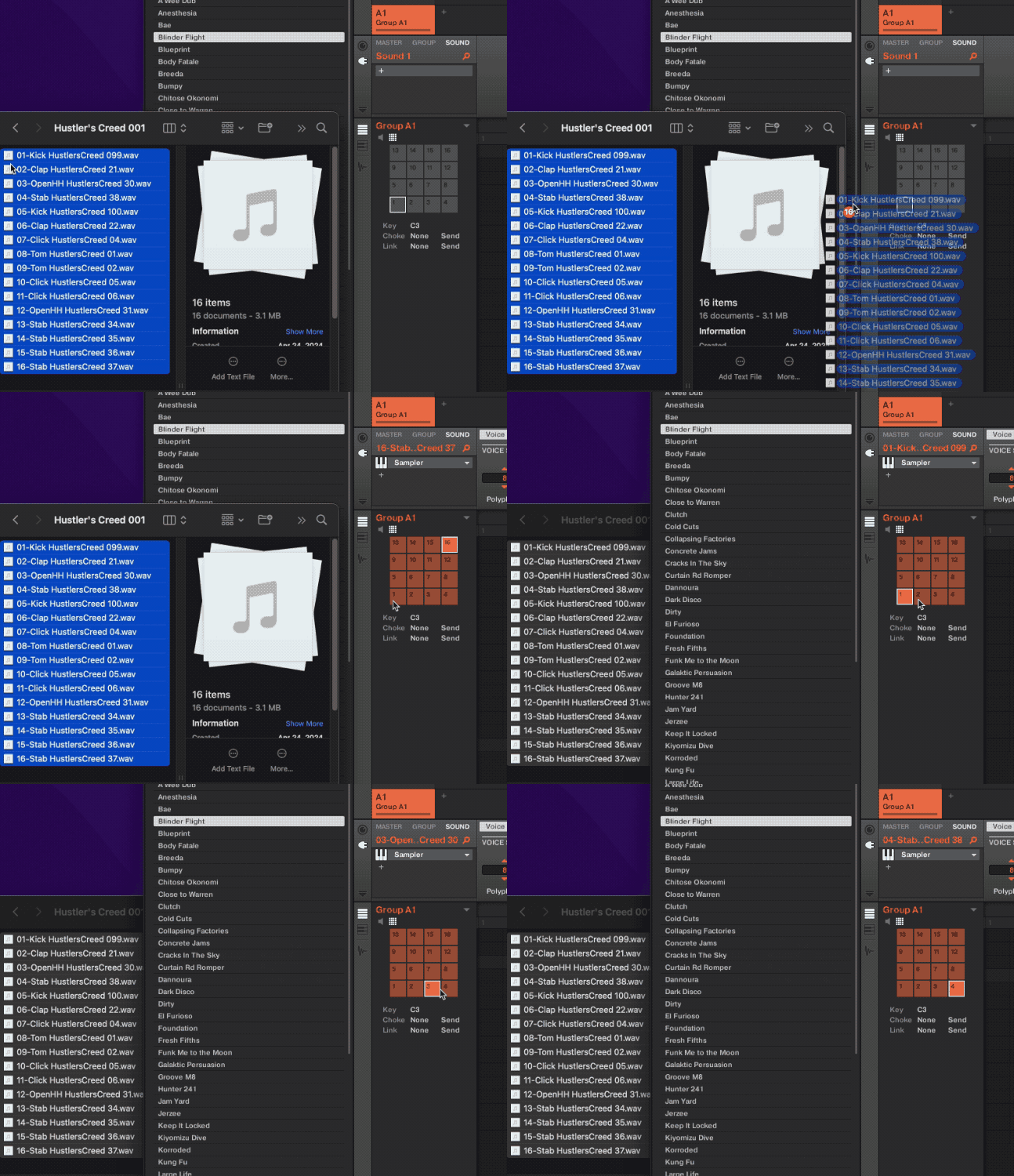
One drag fills the kit in the correct layout
Open a kit folder, select all 16 files, and drag them onto the pads of an empty Group. Maschine loads the whole kit at once, in order, with the kick and snare where you expect them.
There is no layout to fix afterwards. Maschine numbers its pads from the bottom left, and so does Kit Maker, so the default layout comes out right.
Every kit folder holds exactly 16 files, even when a pack runs short on one drum type. Kit Maker fills the gaps with silent placeholders so the layout never shifts from one kit to the next.
Then it becomes a real Maschine kit. Once the samples are on the pads it’s an ordinary Group, so name it and save it to your library. From then on it loads the way every other Group kit you own does. The workaround is the import, not the kit you end up with.
Swap kits, hear new sounds on your patterns
Kit Maker sorts each sample onto the right pad and uses a consistent layout from kit to kit, modeled on the way an Expansion is laid out. Kicks, snares and hats are where your fingers already go.
So you can build a pattern, drop in a completely different kit, and hear the same groove with brand new sounds. Nothing to relearn, nothing to rebuild.
Swapping a kit is another drag of 16 files, or a single click once you’ve saved your favourites as Maschine Groups.
As seen on




“A very useful tool, not just for converting NI stuff, but even your own custom packs.”
Ave Mcree
“A super easy way to convert the expansions.”
Sanjay C, Native Instruments Blog
“Very easy to use.”
Jef Gibbons
How to import kits into Maschine
- In Kit Maker, drop in your sample packs, pick Numbered Files and click Make Kits. Every kit goes in its own folder, with the samples numbered
01to16. - Open a kit folder and select all 16 files.
- Drag them onto the pads of an empty Group in the Maschine 2 software. The whole kit loads at once, laid out in order.
- Name the Group and save it to your Maschine library. The kit is now a real Maschine Group and loads like any other, with no dragging next time.
Kit Maker doesn’t build Native Instruments’ encrypted Maschine presets, and nothing outside Maschine can. It builds numbered folders of plain WAV files instead, so the kits load in the Maschine 2 software on Mac or Windows, with whichever controller you play. Not affiliated with Native Instruments.
Questions, answered
Does Kit Maker make Maschine kit presets?
No, and no other app can. Native Instruments encrypts Maschine’s Group and kit formats, so they can’t be created outside Maschine. What Kit Maker builds instead is each kit as a folder of 16 numbered samples. You drag them onto the pads and Maschine fills the group in the right order, which gets you to the same place in about two seconds.
How do I load a kit into Maschine?
Open a kit folder from the Numbered Files output, select all 16 files, and drag them onto the pads of an empty Group in the Maschine 2 software. The whole kit loads at once, laid out in order. There’s a step-by-step version above.
Do I need to change the pad layout for Maschine?
No. Maschine numbers its pads from the bottom left, which is the layout Kit Maker uses by default, so kits come out the right way up with no dropdown to change. Some other devices, like the Roland SP-404 MKII, do need their own layout, and Kit Maker has those in the list.
Can I save the kit as a Maschine Group?
Yes, and it’s worth doing. Once the samples are on the pads it’s an ordinary Group: name it, save it to your Maschine library, and it sits alongside your other Group kits and loads exactly the same way. The numbered folder is only how the kit gets in. After that it’s a normal Maschine kit.
Will this work with my Maschine?
If you load kits in the Maschine 2 software on a Mac or PC, yes, whichever controller you use with it. The kits are plain WAV files, so there is nothing for your hardware to be compatible with.
Do I need to own the sample packs already?
Yes. Kit Maker organizes packs you provide; it doesn’t include sounds of its own. Drop in the drum packs (or Maschine Expansions) you already own and it builds the kits.
Is it a subscription?
No. Kit Maker is a one-time purchase of $39. Buy it once, use it as long as you like.
Mac and PC?
Both. Kit Maker runs on Apple Silicon Macs and Windows.
Still have questions? Visit the Kit Maker FAQ.
Start making Maschine kits from packs you already own
$39 one-time purchase. No subscription. · For Mac & PC