
Make Ableton Note Drum Kits from Your Sample Packs, Automatically
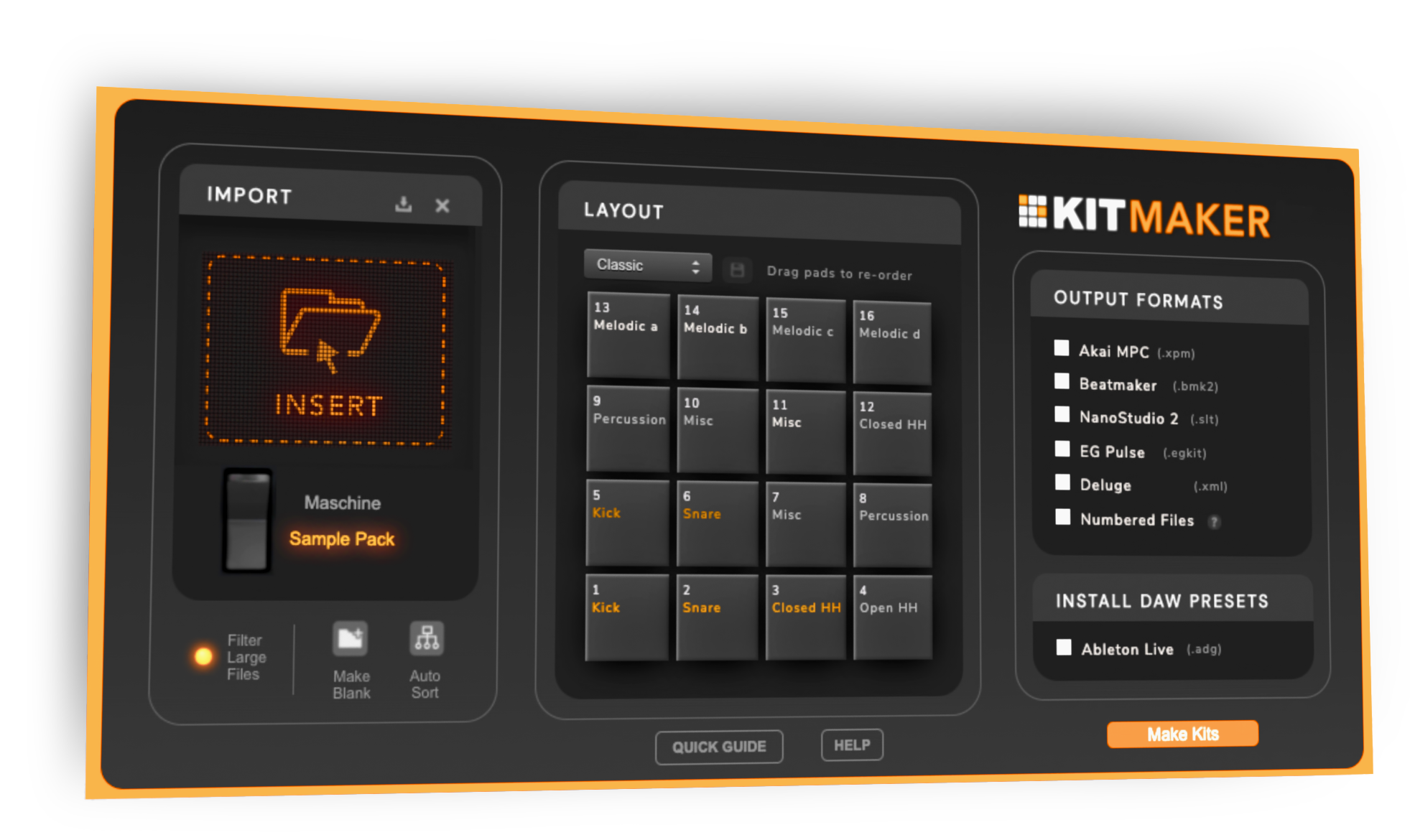
Kit Maker turns the drum packs you already own (and your Native Instruments Maschine Expansions) into organized, ready-to-load drum kits for Ableton Note on iPhone and iPad. Build the kits on your Mac or PC, transfer them to Note, and start sketching beats anywhere. Drag in a pack, click Make Kits, and play.
$35 one-time purchase. No subscription.
 As featured on Native Instruments blog
From sample packs to playable Note kits
- 1
Drop in your packs
Any drum packs (Splice, Loopmasters, or your own) and Maschine Expansions you already have.
- 2
Kit Maker builds the kits
Automatically, for Ableton Note or any supported DAW.
- 3
Your kits are ready to load
Presets are made, organized and in the correct layout.
Ableton Note kits, organized and ready to play
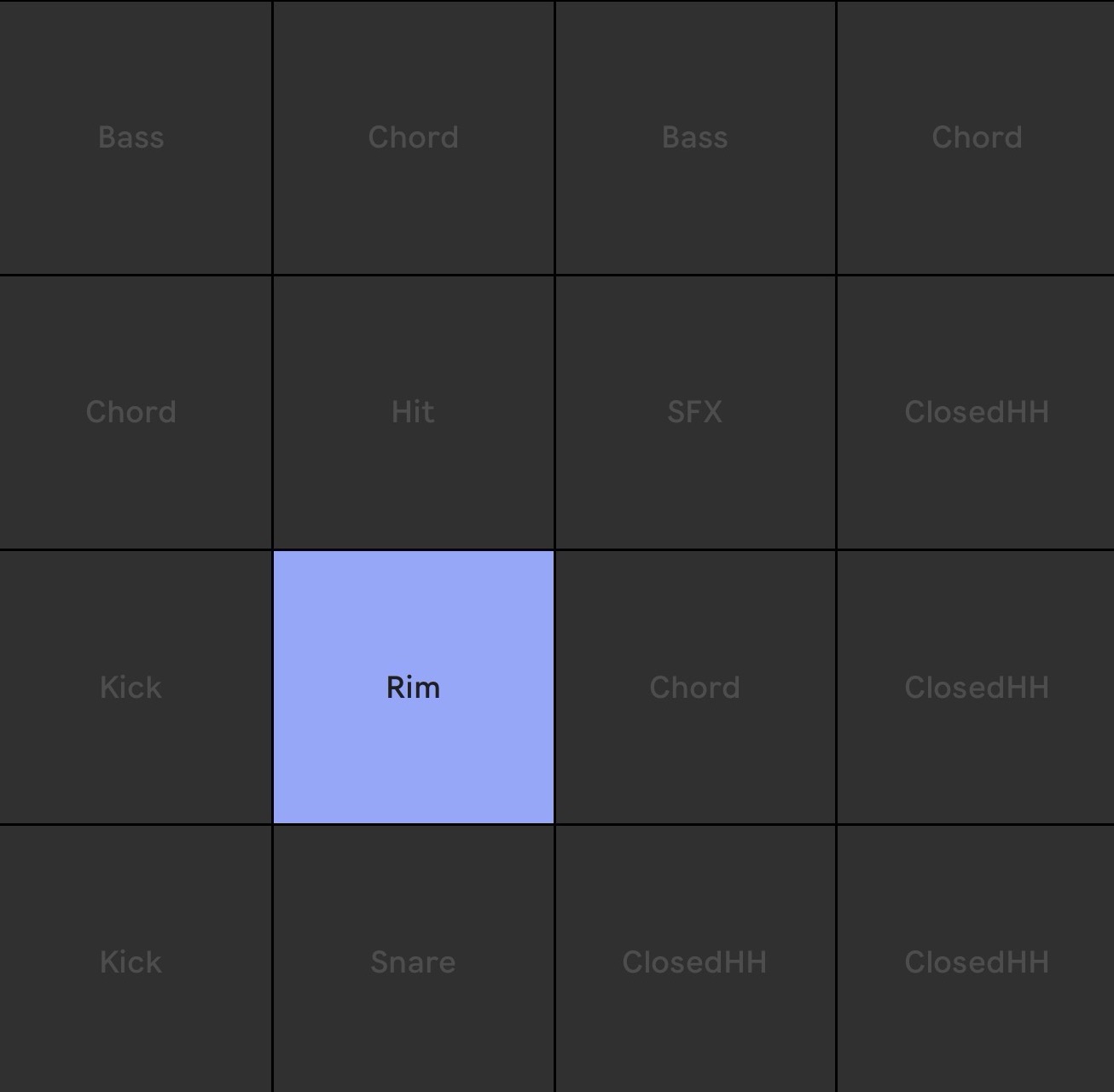
Each kit lands in Ableton Note as a clean 16-pad layout, with your samples already sorted by drum type. Open a kit, tap a pad, and you are making beats, no setup, no hunting through folders. Sketch ideas on the couch or on the train and pick them back up in Ableton Live later.
Your Maschine Expansion kits work in Ableton Note, too
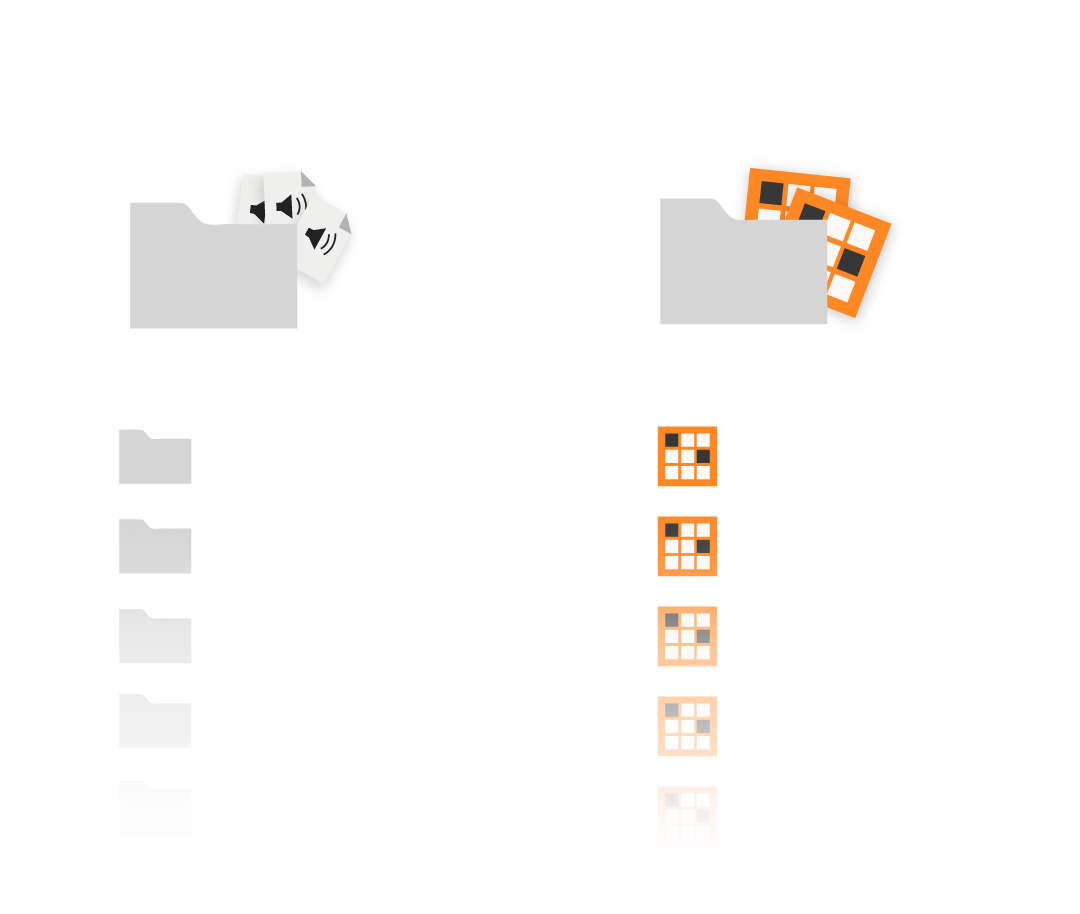
Own Native Instruments Maschine Expansions? Kit Maker reads them and rebuilds those drum kits as Ableton Note kits, so the kits you already paid for show up on your phone or iPad. Native Instruments has even featured Kit Maker as a way to use Maschine Expansion sounds beyond Maschine. See how to use Maschine in Ableton →
Swap kits, hear new sounds on your patterns
Kit Maker sorts each sample onto the right pad. Kicks, snares and hats in the same playable layout across every kit.
So you can lay down a pattern, swap to a completely different kit, and instantly hear it with brand-new sounds. The layout stays put, so there's nothing to relearn and nothing to rebuild.
As Seen On


"A very useful tool, not just for converting NI stuff, but even your own custom packs."
— Ave Mcree
"A super easy way to convert the expansions."
— Sanjay C, NI Blog
"Very easy to use."
— Jef Gibbons
Works with Ableton Note
Kit Maker runs on your Mac or PC to build the kits, then you transfer them to Ableton Note on your iPhone or iPad. Note is Ableton's iOS app for sketching beats and ideas on the go.
macOS · Windows (Kit Maker desktop app)
Ableton Note on iPhone & iPad (on the App Store)
Kits transfer to your device with AirDrop or a cloud service (see the import guide below). Not affiliated with Ableton or Native Instruments.
How to load a kit into Ableton Note
- Make your kits in Kit Maker using the Ableton Move & Note format. It creates .ablpresetbundle preset files, one per kit.
- Get the presets onto your iPhone or iPad by sending them over with AirDrop, or by saving them to a cloud service (like iCloud or Dropbox).
- Open the iOS Files app on your device and tap a .ablpresetbundle file. It's automatically added to your kits in Ableton Note.
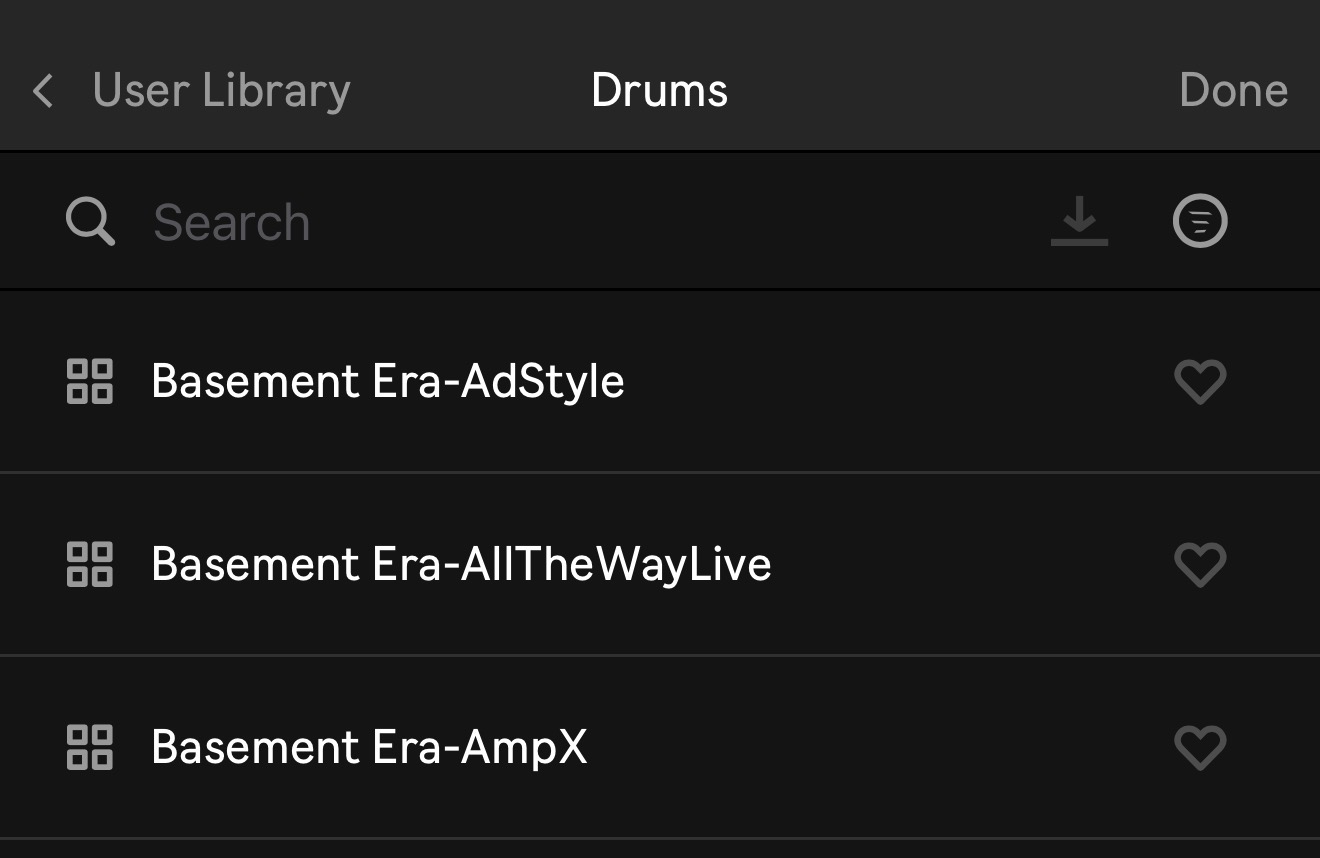
- In Ableton Note, open the presets browser and go to User Library > Drums to find your kits, ready to play.
Want each pack in its own folder inside Note? The full guide covers both transfer methods, including the advanced Folders setup. How to import drum kits into Ableton Note →
Make Kits for Ableton Live & Ableton Move
Your one $35 purchase covers every Ableton format: Live, Move, and Note.
Kit Maker builds those kits too.
Questions, answered
Do I make the kits on my phone or my computer?
On your computer. Kit Maker is a Mac and Windows app. It builds the Ableton Note kits on your computer, then you transfer them to Ableton Note on your iPhone or iPad with AirDrop or a cloud service (full steps above).
How do I get the kits onto Ableton Note?
Kit Maker builds them as .ablpresetbundle files. Send those to your iPhone or iPad with AirDrop (or a cloud service), open the Files app, and tap a file to add it to Ableton Note. Your kits then appear under User Library > Drums (full steps above).
Do I need to own the sample packs already?
Yes. Kit Maker organizes packs you provide; it doesn't include sounds of its own. Drop in the drum packs (or Maschine Expansions) you already own and it builds the kits.
Can it convert my Maschine Expansions for Note?
Yes. Kit Maker reads Native Instruments Maschine Expansions and rebuilds those drum kits as Ableton Note kits, largely faithful, with a few limitations, so the kits you already paid for show up on your phone or iPad. Native Instruments has featured it as an option for Expansion owners.
Is it a subscription?
No. Kit Maker is a one-time purchase of $35. Buy it once, use it as long as you like.
Still have questions? Visit the Kit Maker FAQ, or see how Kit Maker makes Ableton Live drum kits.
Start making Ableton Note kits from packs you already own
$35 one-time purchase. No subscription. · For Mac & PC