
The default location for the Kit Maker Kits folder is on the Desktop (Desktop > Kit Maker Kits). Click a path to pick a new folder, or right-click it to reset. The labelled buttons beside each path reveal that folder in Finder (Explorer on Windows).
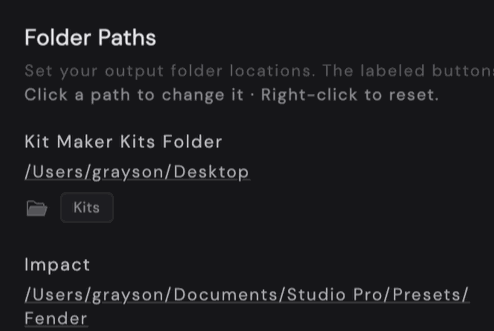
A few formats save somewhere else, because their app looks for presets in its own folder. Each has its own row:
- Kit Maker Kits Folder: where most formats go.
- Ableton Live User Library: your Ableton User Library, with Kits and Samples buttons to reveal each.
- Impact (Studio One and Fender Studio Pro)
- Roland Zenbeats
- Logic Pro: Logic’s own patches folder. Logic only reads patches from there, so this one can’t be changed.
- Bitwig Studio Library: your Bitwig Library
- FL Studio (FPC) Image-Line Folder: your Image-Line data folder, which should match the one set in FL Studio
Every other format goes to the Kit Maker Kits folder.