
> Help with Finding/Missing Receipt
> Registration HelpAdditional help pages can be found above
Manage Your Lemon Squeezy Licenses
Each license is for one user, but you can activate it on up to 2 computers at once. The Lemon Squeezy “My Orders” page lets you remotely deactivate computers you have activated in the past. This will free up your license to activate a new computer.
The My Orders page also lets you access your software downloads and receipt info.
Don’t know your password? Reset it here.
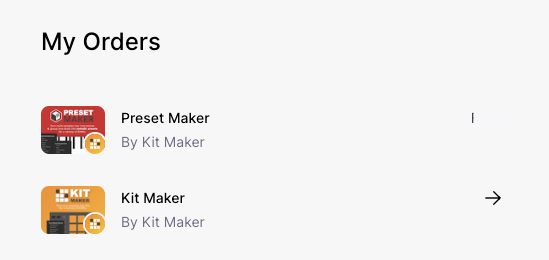
Access your Licenses
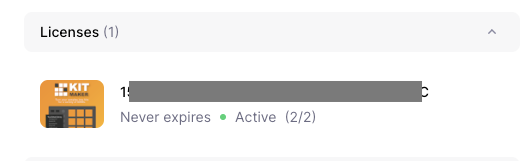
Any licenses you purchased on your account will show up here.
Click on a License to show the license details.
Deactivate a Computer
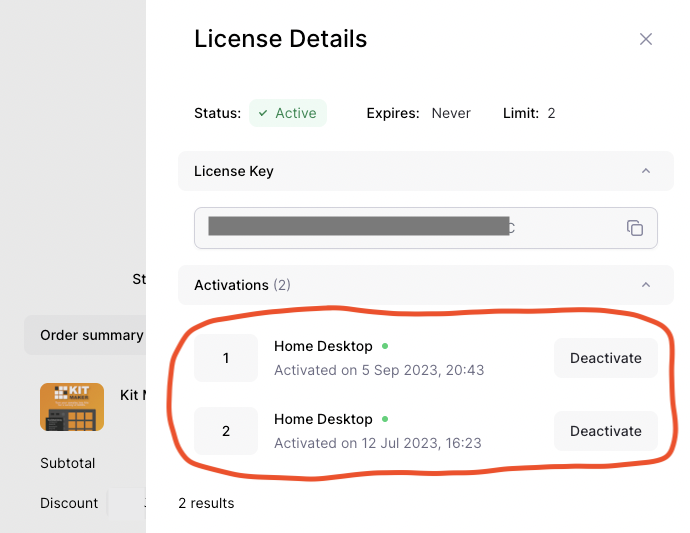
The license details provide info on the 2 activations each license allows.
Each computer you register counts as an “activation.” Each activation has a nickname you can optionally customize, to remember which computer is which.
To deactivate a computer, simply click the Deactivate button under the Activations list. When you have less than two computers activated, you can then use your license on a new computer.
You can deactivate a computer, even if you lost access to it.
Or Deactivate Inside the App Itself
You can also deactivate a Lemon Squeezy license directly in the app itself.
Go to the Menu under Help > License Info…
There is a button to Deactivate the license from the current computer.
You can copy your license number and then activate the app on another computer.