
Make Deluge Drum Kits from Your Sample Packs, Automatically
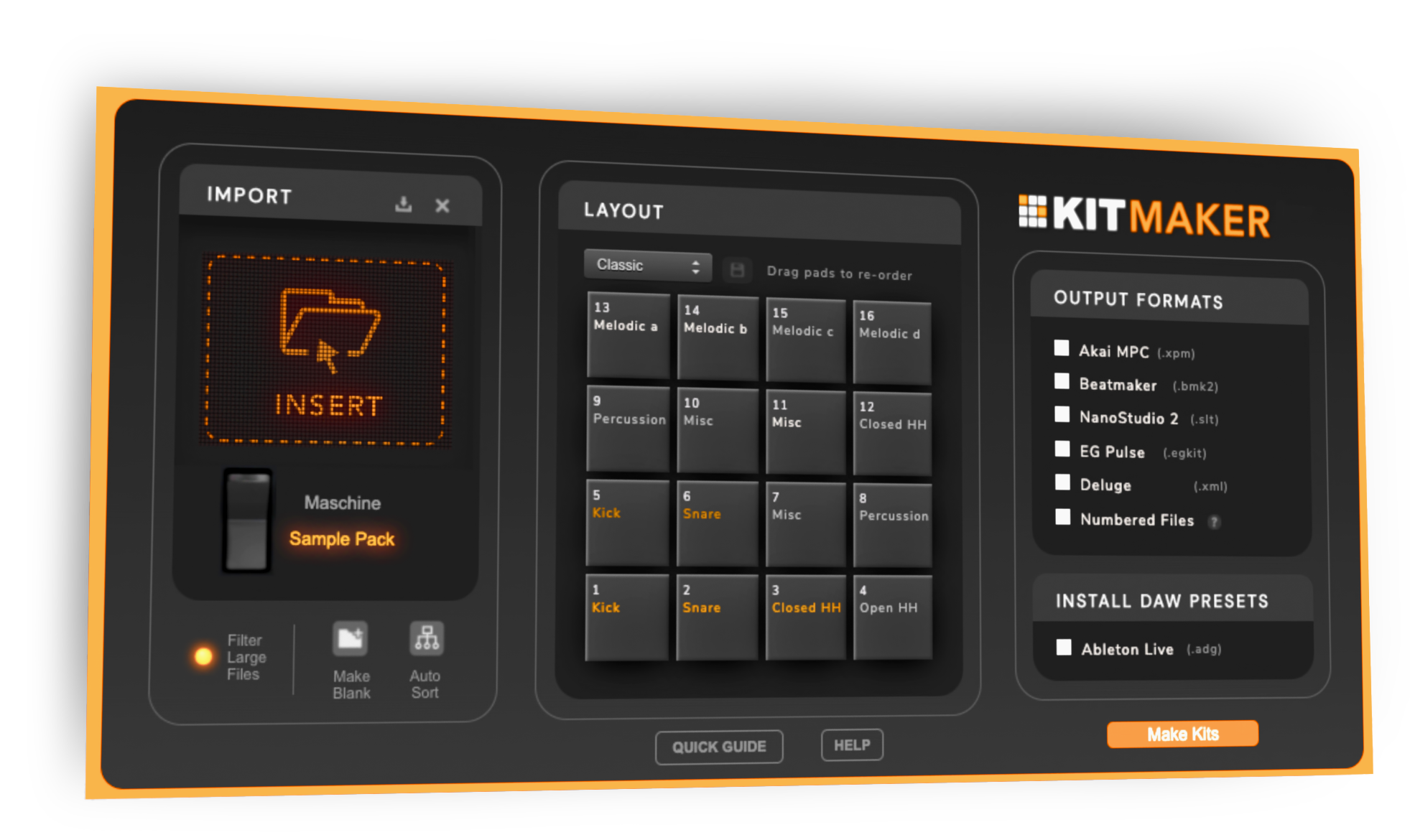
Kit Maker turns the drum packs you already own (and your Native Instruments Maschine Expansions) into named, organized kit presets for the Synthstrom Deluge. Drag in a pack, click once, and they’re ready for the SD card.
$35, one-time purchase. No subscription.
 As featured on the Native Instruments blog
From Sample Packs to Deluge Drum Kits
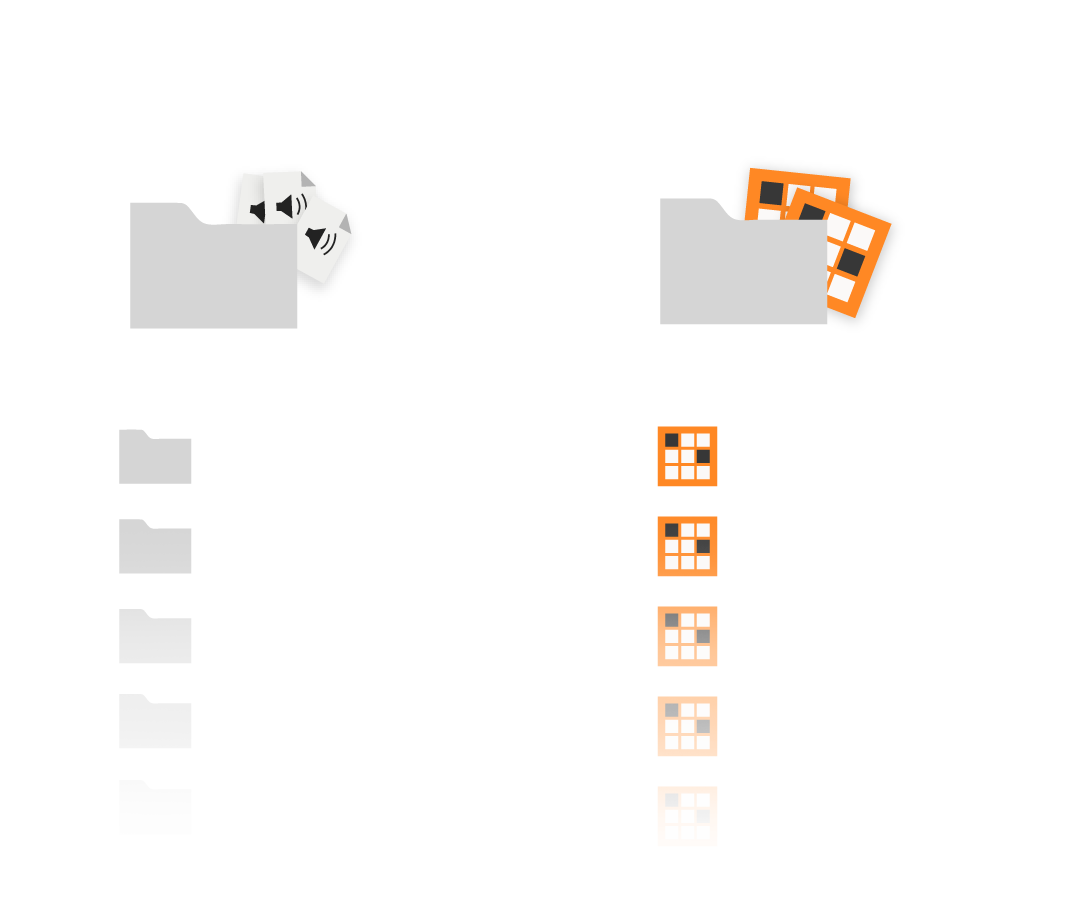
- 1
Drop in your packs
Any drum packs (Splice, Loopmasters, or your own) and Maschine Expansions you already have.
- 2
Kit Maker builds the kits
Automatically, for the Deluge or any supported DAW.
- 3
Your kits are ready to load
Named, organized Deluge kit presets, ready for the SD card.
Convert your Maschine Expansion kits for the Deluge, too
Kit Maker reads your Native Instruments Maschine Expansions and rebuilds those drum kits as Deluge presets, named after the original Maschine kits and sorted into folders. Sounds you already paid for, now on the Deluge. More on converting Maschine Expansions.
On your Deluge, already named and organized
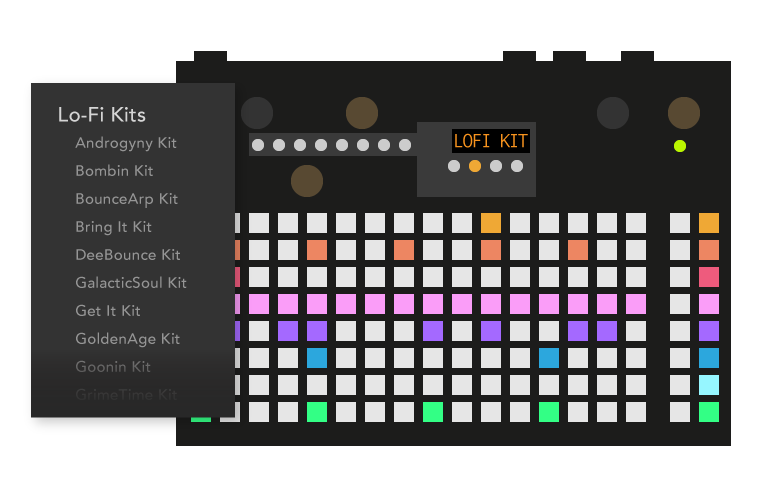
Kit Maker writes the presets into KITS and the samples into a single KIT MAKER folder, so everything ends up where the Deluge looks for it. Browse to a kit, load it, play. No export step and no conversion software in between.
Kits come out named after the pack or the Maschine kit they came from, so you pick a kit by name instead of digging through a folder of raw one-shots.
Swap kits, hear new sounds on your pattern. Kit Maker sorts samples by drum type and puts them in the same order on every kit, pads 1 through 16. Write a pattern with one kit, load another, and it plays with completely different drums. Nothing to relearn, nothing to re-map.
As seen on


"A very useful tool, not just for converting NI stuff, but even your own custom packs."
Ave Mcree
"A super easy way to convert the expansions."
Sanjay C, NI Blog
"Very easy to use."
Jef Gibbons
Works with the Synthstrom Deluge
Kit Maker builds native .xml kit presets, the Deluge's own kit format. They load on the current OLED-screen Deluge and on the older numeric-display model.
macOS · Windows (Kit Maker desktop app)
Synthstrom Deluge (OLED and numeric display)
Kit Maker is a third-party app, not affiliated with Synthstrom Audible or Native Instruments.
How to make Deluge drum kits
- In Kit Maker, choose Deluge as the format and click Make Kits.
- Copy the contents of the
KITSfolder into theKITSfolder on your Deluge's SD card. - Copy the
KIT MAKERfolder intoSAMPLES/DRUMSon the card, so the path readsSAMPLES/DRUMS/KIT MAKER. If aKIT MAKERfolder is already there, copy the contents into it instead of replacing it. - Put the card back in the Deluge and load a kit from the browser.
Kit Maker creates a copy of these instructions in with your kits, so you don't have to come back here for them.
Questions, answered
Will it work with my Deluge?
Yes. Kit Maker builds the Deluge's own .xml kit format, and the kits load on the current OLED-screen Deluge as well as the older numeric-display version.
Can it turn my Maschine Expansions into Deluge kits?
Yes. Kit Maker reads Native Instruments Maschine Expansions and rebuilds their drum kits as Deluge presets, named after the original Maschine kits and grouped into folders. Native Instruments has featured Kit Maker as an option for Expansion owners.
Do I need to own the sample packs already?
Yes. Kit Maker organizes packs you provide; it doesn't include sounds of its own. Drop in the drum packs (or Maschine Expansions) you already own and it builds the kits.
Is it a subscription?
No. Kit Maker is a one-time purchase of $35. Buy it once, use it as long as you like.
Mac and PC?
Both. Kit Maker runs on macOS and Windows.
Still have questions? Visit the Kit Maker FAQ.
Start making Deluge kits from packs you already own
$35, one-time purchase. No subscription. For Mac and PC.